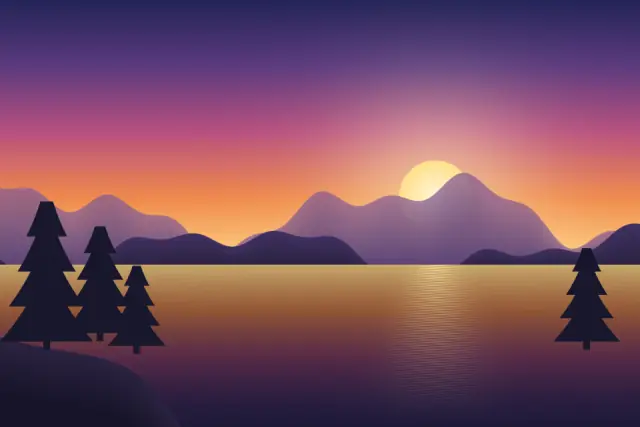
Original illustration
Commodore 64 palette
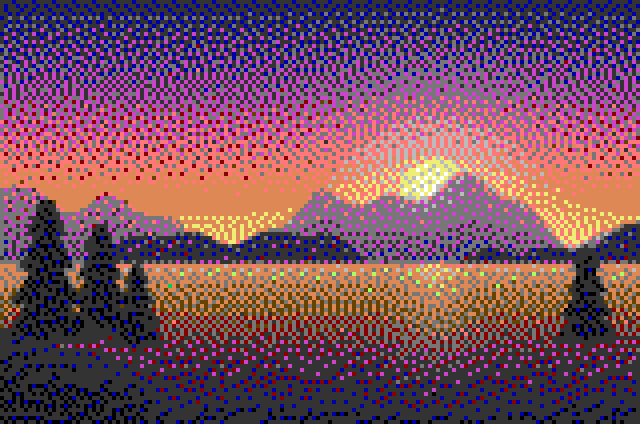
Add up to 30 images (up to 50 MB each) and map them onto a retro hardware palette. This page starts with the Commodore 64 palette, pixel size 6 and Floyd-Steinberg dithering, and the palette menu switches between PICO-8, Game Boy, NES-style, C64, CGA, EGA and Minecraft wool, or builds 2 to 64 colors from the image itself. The preview shows the palette swatches next to the result, and everything runs in your browser.
Classic retro color palettes for pixel art
The palette does more than anything else to set a pixel art piece's mood and era. The same sprite looks very different in the Game Boy's four greens than in NES colors, even with every pixel in the same place. This pixel art color palette tool applies those hardware palettes to any image, so a photo or illustration takes on the look of a classic system.
The palettes included
The Game Boy palette has 4 shades of green, from near-white to near-black. Games like Pokemon Red and Blue, Tetris and Link's Awakening worked with those four values alone, so the palette makes you think in light and shadow instead of hue.
The NES palette here is an NES-style set of 41 colors. The real console could show about 25 colors at once, and its warm reds, greens, blues and skin tones defined Super Mario Bros., Metroid and Mega Man.
PICO-8 is the 16-color palette of a modern fantasy console. It mixes dark tones, two light neutrals and bright colors across the hue range, which makes it flexible for almost any subject. The original Celeste began as a PICO-8 game.
The Commodore 64 palette has 16 colors with a warm, slightly muted character that is easy to recognize.
CGA and EGA come from early IBM PCs. Both palettes in the tool have 16 colors. Real CGA graphics usually showed only 4 of them at a time, such as the well-known cyan, magenta, white and black, while EGA could show 16 at once. In this tool the two sets share 15 colors, and the one difference is that EGA has brown (#AA5500) where CGA has dark yellow (#AAAA00). The Minecraft palette uses the 16 wool colors.
Choosing a palette for your image
For black and white photos and grayscale art, count the neutral tones. PICO-8, EGA, CGA and Minecraft wool each have four from black to white, and the C64 and NES-style sets have five. The Game Boy palette has no neutrals at all, so a black and white photo comes out in shades of green. For portraits, PICO-8 has a peach and a brown that suit skin, and the C64 set has a tan orange and a pale red. EGA and CGA have no skin tone as such, so faces usually shift toward gray or brown, which suits a deliberately harsh early PC look.
How limited palettes help
With only 4 or 16 colors, every choice counts. A fixed palette keeps colors in harmony because they were picked to work together, cuts visual noise and makes silhouettes clearer. That is part of why NES and SNES era art still reads well at small sizes.
Palettes and dithering
Mapping a full-color image to a small palette turns smooth gradients into visible steps. Dithering mixes palette colors in neighboring pixels to suggest the missing tones. Floyd-Steinberg gives an organic, noisy texture that suits faces and landscapes, and ordered dithering (Bayer 4×4 or 8×8) gives the regular patterns typical of old hardware.
Building your own palette
Many pixel artists start from a hardware palette and adjust it for a project. To pull colors out of your own reference images, use the color palette extractor, which exports them as CSS, JSON, GIMP or Adobe swatch files. In this tool, "From the image" builds a palette of 2 to 64 colors from the photo you are converting. For bit depth reduction instead of a palette, use the Pixel Art & Bit Depth Converter.
Default settings for this tool
This page loads the Commodore 64 palette (16 colors) at pixel size 6. Because the palette defines the colors, bit depth is not applied. Floyd-Steinberg dithering is on, so tones the C64 palette lacks are approximated by mixing nearby palette colors. The output keeps about the original size.
Use the Palette menu to compare the other built-in sets: PICO-8, Game Boy, NES, EGA, CGA and Minecraft wool. Setting Dithering to None shows each palette as flat color, which makes the differences between palettes easier to judge.
Frequently Asked Questions
What is the best retro palette for pixel art beginners?
PICO-8 is a good first choice. Its 16 colors include darks, neutrals and bright accents across the main hues, so it works for most subjects, and 16 colors are few enough to learn with.
Why does the Game Boy palette only have 4 colors?
The original Game Boy's screen could show only four shades. Artists had to work within that hardware limit, and the results include some of the best-known pixel art in games.
Can I use retro palettes for non-pixel art projects?
Yes. Retro palettes work for web and interface design, illustrations and branding, especially for indie game sites and retro-themed apps. The color palette tool can export colors in formats design software reads.
What is the difference between CGA and EGA palettes?
CGA (Color Graphics Adapter, 1981) had 16 colors, but its common graphics modes showed only 4 at a time. EGA (Enhanced Graphics Adapter, 1984) showed 16 at once, chosen from 64. In this tool both palettes contain 16 colors, so CGA output can use all of them.
How does dithering interact with limited palettes?
Dithering places palette colors side by side so that, from a distance, they blend into shades the palette doesn't have. Even a 4-color palette can suggest many more tones this way, which is why limited-palette art can look detailed instead of flat.