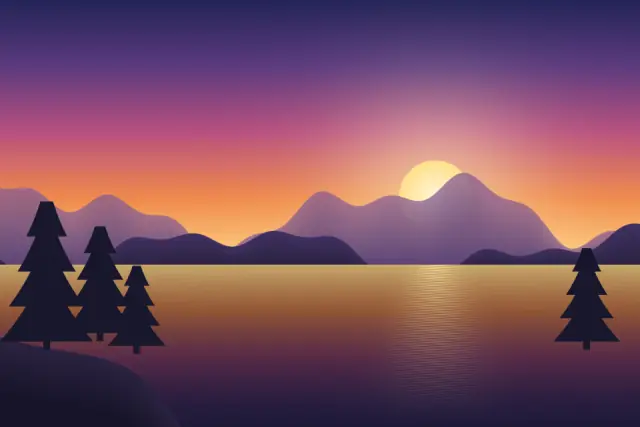
Original illustration
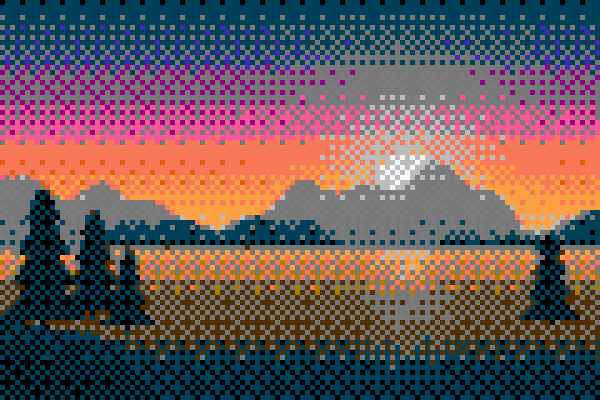
NES-style palette, Bayer 8×8
Add up to 30 photos (up to 50 MB each) and turn them into 8-bit style pixel art. This page starts with the NES palette and Bayer 8×8 dithering, and you can switch to Game Boy, PICO-8, Commodore 64, CGA, EGA or a reduced bit depth, change the block size, and save PNG, GIF or a sprite sheet. Conversion happens in your browser.
Turn photos into 8-bit retro art
This free 8-bit photo converter gives modern photos the look of 8-bit and 16-bit era games: big blocks, a short list of colors and patterned shading. A live preview shows the result and the palette swatches as you change settings.
Understanding 8-bit color reduction
"8-bit" describes the color limits of early computers and game consoles, which could show only a small set of colors at once. The converter recreates that by mapping your photo's millions of colors onto a short list. At 8-bit color depth that list has 256 colors, at 4-bit it has 16, and a hardware palette has between 4 and 41.
With so few colors, smooth gradients break into visible steps, and that banding is part of the style. Dithering mixes neighboring pixels of different colors to suggest in-between tones, so you can go from clean and graphic to finely textured.
Classic hardware palettes
The Game Boy palette has four shades of green, like the 1989 handheld. The NES-style palette has 41 colors for platformer-style art. The Commodore 64 has 16 distinctive, earthy colors. PICO-8 is the 16-color palette of a modern fantasy console popular with indie developers, and CGA and EGA are 16-color palettes from early PCs, with high contrast and strong primaries.
Dithering
Floyd-Steinberg dithering spreads each pixel's color error to its neighbors, which creates an organic noise that reads as smooth shading. Ordered dithering (Bayer 4×4 or 8×8) produces the regular crosshatch you see in classic games and old print. This page uses the 8×8 matrix, which has 64 threshold steps instead of 16, so gradients pass through more in-between mixes of two palette colors and the repeating tile is larger: 8 blocks across, or 64 source pixels at the default pixel size of 8. Without dithering you get flat, posterized areas, which some images suit better.
For social media and creative projects
8-bit images stand out among polished photos on Instagram, X and TikTok. Musicians, streamers and artists use them for profile pictures, album covers, thumbnails and posters. With the GIF output you can also turn one photo into a short animated loop.
Default settings for this tool
The 8-bit preset uses a pixel size of 8 and the NES palette. A named palette sets the colors itself, so the bit depth setting is not applied. Dithering is Ordered (Bayer 8×8), which mixes palette colors in a regular grid pattern to suggest shades the palette does not contain. The output stays at about the original size, with each block scaled up by nearest neighbor.
To imitate other hardware, switch the palette to PICO-8, Commodore 64 or Game Boy. Under Dithering, None gives flat color areas and Bayer 4×4 gives a smaller repeating pattern.
Frequently Asked Questions
What does 8-bit mean in image processing?
It usually means 8 bits per pixel, which allows 256 colors, compared with 24-bit truecolor and its 16.7 million. In retro art the term also covers the small palettes of 8-bit consoles. The limited colors create the bold, blocky look of old games.
Which settings give the most authentic 8-bit look?
Use a pixel size of 10 to 14, a hardware palette such as NES or PICO-8, and ordered dithering (Bayer 4×4). If you prefer to reduce by bit depth instead of a palette, choose 8-bit or 4-bit.
Can I make my photo look like a Game Boy game?
Yes. Choose the Game Boy palette, a pixel size of 12 to 16, and ordered dithering. That gives the four-shade green look of the original Nintendo Game Boy.
Is dithering necessary for a good 8-bit conversion?
No, but it usually helps. Without it, gradients turn into flat bands with hard edges. With it, the image gains texture and seems to have more colors than the palette really has.
Can I use 8-bit conversions commercially?
The converter puts no restrictions on what you do with the output, and it adds no watermark. Just make sure you have the rights to the photo you started from.