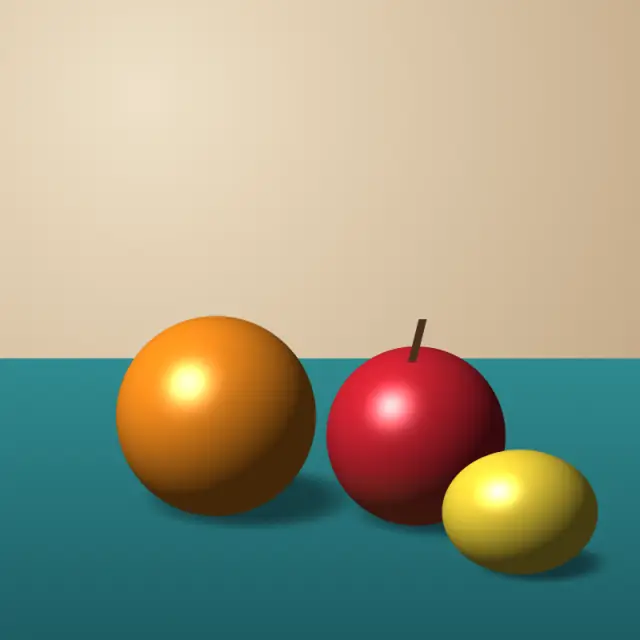
Original illustration
Square crop, pixel size 16
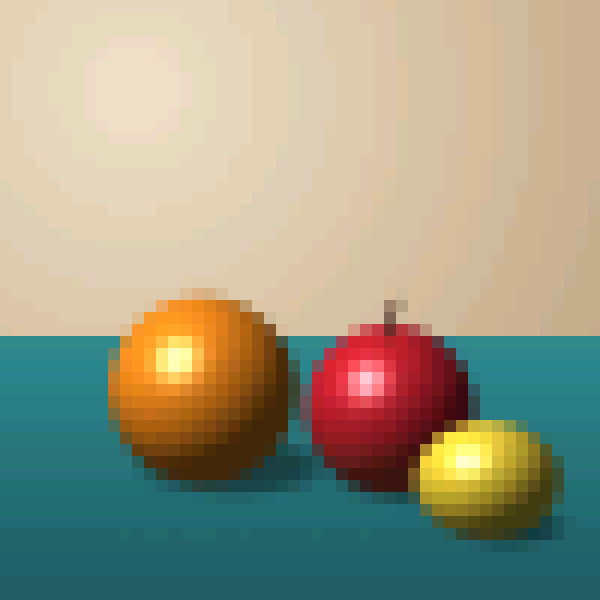
Add a photo (or up to 30, up to 50 MB each) and get a square pixel art avatar. This page crops the center square, uses large 16-pixel blocks and 16-bit color, and you can set an exact grid such as 32 × 32 or 64 × 64, reduce the image to a 4 to 8 color palette, pick a retro palette, scale the result up with sharp edges, or make an animated GIF. Your photo is processed in your browser.
Create pixel art avatars and retro profile pictures online
Your profile picture shows up on Discord, Reddit, X, GitHub and nearly every other site you use. A pixel art avatar stands out among photos and gives your profile a playful, retro look. This free pixel art avatar maker turns a selfie or any image into a PFP without design skills, software or sign-up.
Why pixel art avatars work
Pixel avatars are common in gaming and creative communities, and their style fits Discord, Reddit, GitHub and X profiles alike. A small grid such as 64 × 64 means every pixel counts, so the result tends to look deliberate and stays recognizable even when shown tiny.
Sizing your avatar for different platforms
Most platforms show avatars somewhere between about 32 and 400 pixels and scale whatever you upload. Pixel art handles that well if you upload it at a whole multiple of its grid. Make the avatar on a 32, 64 or 128 pixel grid, then use the output scale (1× to 16×, nearest neighbor) to export it at a size such as 256 or 512 pixels so the platform has enough pixels to work with.
The batch resizer can make extra sizes, and the icon generator turns the avatar into a favicon set for a personal website.
Design tips for pixel avatars
An avatar has to read at 32 × 32 and still look good at 256 × 256. Start from a photo where the face or subject has a clear outline against the background, since shape matters more than color at small sizes. Thin details like strands of hair disappear, so a larger pixel size often looks better than a smaller one.
Keep the palette small. "From the image" builds a palette of 2 to 64 colors from your photo, and 4 to 8 colors give the cleanest pixel avatar look. If your avatar will appear on both light and dark themes, a dark outline around the subject helps it stand out. The tool doesn't draw outlines, so add one in a pixel editor if you want it.
Making an avatar from a photo
Choose a photo with your face near the center, or crop it to a square first. Set the sprite size to 64 × 64 or 128 × 128 for an exact grid, or use the pixel size slider. Try the preview with different palettes and dithering, then download the PNG. To keep the file small, run it through the image compressor afterwards.
Inspiration
Communities such as r/pixelart, Pixel Joint and Lospec share avatar-sized pixel art, palettes and tutorials. Use them for ideas, then come back with a reference image and adjust the settings until the avatar looks like you.
Default settings for this tool
Avatars start with Square crop on, so the tool keeps the center square of your photo, the usual shape for profile pictures and icons. Pixel size is 16, which gives large blocks that stay readable when the avatar is shown small. Bit depth is 16-bit (RGB565, up to 65,536 colors) with the palette set by bit depth, and dithering is off. The output keeps the size of the cropped square.
If your face is off center, crop the photo before uploading or turn Square crop off. Lower the pixel size for more facial detail, or pick a retro palette for a stronger game look.
Frequently Asked Questions
What size should my pixel art avatar be?
A 64 × 64 or 128 × 128 grid gives enough detail for a face while keeping the pixel look. Choose that sprite size in the tool, then scale the output up 4× or 8× if a platform asks for a larger upload.
How do I make my pixel avatar look good on both light and dark backgrounds?
Give the subject a clear edge. A solid background color behind the subject works on any theme. For a transparent avatar, a dark one-pixel outline, which you add in a pixel editor, keeps it visible on light and dark modes.
Can I create a pixel avatar from a selfie or photograph?
Yes. Add the photo, set the sprite size to 64 × 64 or 128 × 128, and choose "From the image" with 4 to 8 colors. The tool turns the photo into pixel art, and you can adjust the settings until it captures your likeness.
What file format should I use for my pixel art avatar?
PNG. It keeps transparency and compresses without loss, so every pixel edge stays sharp, while JPG blurs pixel boundaries. The tool saves PNG by default, and GIF is available for animated avatars.