Original illustration
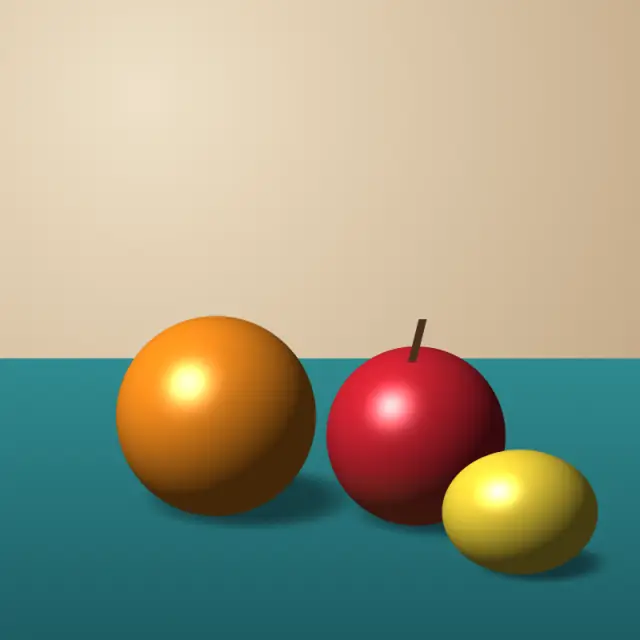
16-bit color, pixel size 6
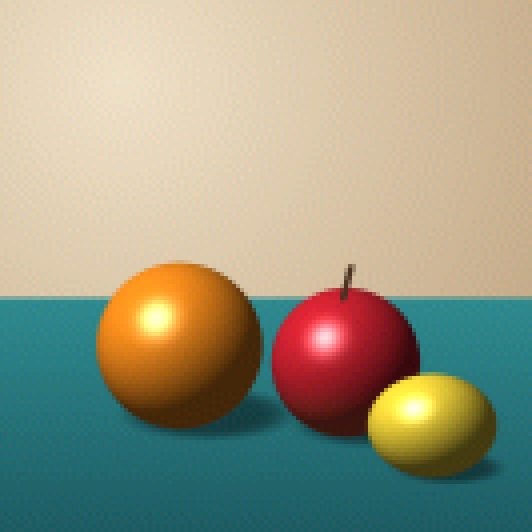
Add up to 30 images (up to 50 MB each) and turn them into 16-bit style pixel art. This page starts at pixel size 6 with 16-bit RGB565 color (up to 65,536 colors) and Floyd-Steinberg dithering, and you can change the block size, drop to 8-bit or 4-bit, pick a retro palette, and save PNG, GIF or a sprite sheet. The images are processed in your browser.
Generate 16-bit retro art from any image
The 16-bit console era, from the late 1980s to the mid 1990s, is remembered for detailed sprites, smooth shading and colorful backgrounds on machines like the Super Nintendo (SNES), Sega Genesis (Mega Drive) and TurboGrafx-16. This 16-bit art generator gives photos and drawings a similar look by combining pixelation with a reduced color depth.
What makes 16-bit art distinctive
"16-bit" originally described the consoles' processors, but the look comes from their color and resolution limits. The SNES could show 256 colors at once out of 32,768, and the Genesis 64 out of 512. That was far more than the NES or the four-shade Game Boy, and it let artists shade characters smoothly and give backgrounds depth.
Typical traits of 16-bit art are careful highlights and shadows on sprites, color ramps across surfaces, and dithered gradients for sky and atmosphere, all with plenty of detail but no photorealism. The tool approximates this with color depth reduction and dithering. It can't hand-place pixels the way an artist would, so treat the output as a starting point.
SNES vs. Genesis: two different 16-bit styles
SNES games such as Chrono Trigger, Final Fantasy VI and Super Metroid often have rich colors and soft, painterly shading. For that feel, use a pixel size of 6 to 10 with 16-bit color or 8-bit color plus Floyd-Steinberg dithering.
Genesis games such as Sonic the Hedgehog and Streets of Rage often look bolder, with strong contrast and fewer colors per scene. For that, use 8-bit color with no dithering or with ordered dithering.
Using 16-bit color depth (RGB565)
RGB565 is a 16-bit color format with 5 bits for red, 6 for green and 5 for blue, for 65,536 colors in total. Green gets the extra bit, so green tones are a little finer than reds and blues. Compared with 24-bit truecolor the difference is subtle, but smooth gradients show slight steps. It isn't the SNES's own format (the SNES stored 15-bit color), but it produces a similar reduced-color look.
Indie game development with 16-bit aesthetics
Many indie games, from Celeste to Hyper Light Drifter, take visual cues from SNES and Genesis classics. Developers can run concept art, photos of real places or character sketches through the generator to get rough sprites and backgrounds, then refine them by hand. Set an exact sprite size such as 32 × 32 or 64 × 64, and export a sprite sheet with a JSON frame map if you need several frames.
Settings for a convincing result
Start with a pixel size of 6 to 10, which keeps enough detail for the larger color range to show. Use 16-bit RGB565 for the subtlest color reduction or 8-bit for a stronger retro effect. Floyd-Steinberg dithering suits characters and natural scenes, and ordered dithering suits buildings and machines. At 16-bit there are enough colors that dithering is often unnecessary.
Default settings for this tool
This generator starts at pixel size 6, so each 6 × 6 block becomes one pixel and a little more detail survives than at the default size of 8. Bit depth is 16-bit (RGB565), which allows up to 65,536 colors, with the palette set by bit depth. Floyd-Steinberg dithering is on to soften the steps between those colors. The output stays at about the original image size.
For a harder, more posterized look, drop to 8-bit or turn dithering off. Increase the pixel size if you want larger, more visible pixels.
Frequently Asked Questions
What is the difference between 8-bit and 16-bit pixel art?
8-bit pixel art uses 256 colors or fewer, which gives bold shapes with little shading. 16-bit color allows up to 65,536 colors (RGB565), so gradients and shading look smoother while the image keeps its pixel structure.
How do I make my image look like SNES pixel art?
Set the pixel size to 6 to 10 and use 16-bit color, or 8-bit color with Floyd-Steinberg dithering. A saturated palette such as PICO-8 can push it further. There is no exact SNES palette, because SNES games each picked their own colors from a range of 32,768.
Can I recreate the Sega Genesis visual style?
Yes, roughly. The Genesis look relies on bold contrast and limited colors. Use 8-bit color with no dithering or a little ordered dithering, a pixel size of 6 to 8, and images with strong light and dark areas.
What is RGB565 color depth?
RGB565 stores a color in 16 bits: 5 for red, 6 for green and 5 for blue, which makes 65,536 possible colors. It is common in small displays and embedded graphics, and this tool uses it to give images a 16-bit color reduction.
Can I use 16-bit style art in my indie game?
Yes. Game engines such as Unity, Godot and GameMaker import PNG files. Set the texture filter to nearest (point) in the engine so the pixels stay sharp when scaled. A sprite sheet export also includes a JSON frame map in the TexturePacker JSON hash format.