What dithering does
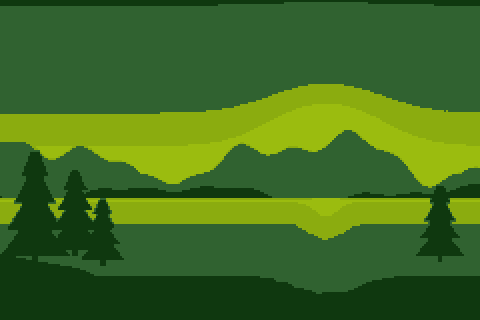
A small palette can't show a smooth gradient. Without help, a sunset sky in four colors becomes four flat stripes, and the edges between them (called banding) are easy to see. Dithering hides those edges by mixing two neighboring palette colors in a pattern. Seen from a distance, a checkerboard of dark and light green reads as a middle green, and a pattern with more light pixels reads as a lighter one.
Pixel artists have done this by hand for decades. The converters on this site can do it automatically with three methods: two sizes of ordered (Bayer) dithering, and Floyd-Steinberg error diffusion.
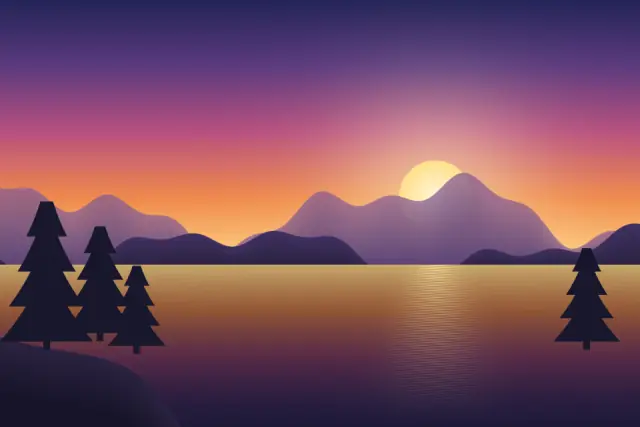
Original illustration
No dithering
Ordered, Bayer 4×4
Ordered, Bayer 8×8
Floyd-Steinberg
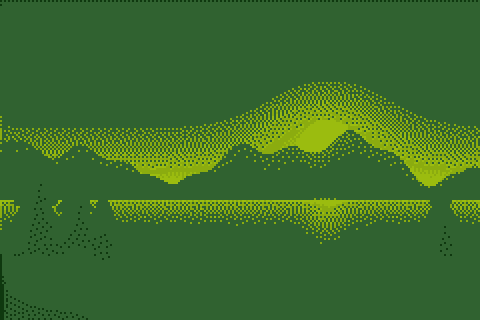
No dithering
Each pixel simply takes the nearest palette color. Flat areas stay perfectly flat and outlines stay clean, which is what you want for sprites, icons, logos and pixel art that will be edited by hand afterwards. Gradients turn into bands, and with few colors the bands can be wide.
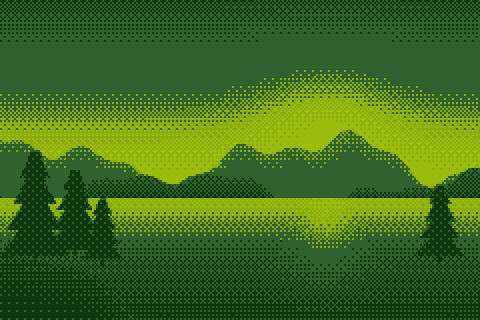
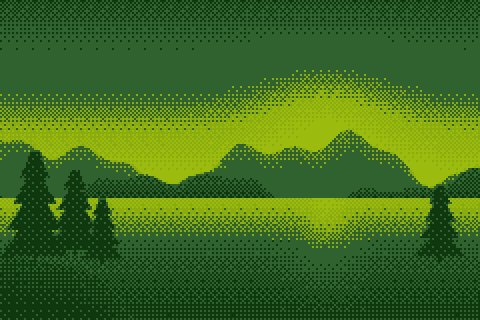
Ordered dithering (Bayer 4×4 and 8×8)
Ordered dithering uses a small grid of thresholds called a Bayer matrix, tiled over the whole image. Before a pixel is matched to the palette, its color is nudged up or down by the threshold at that position. Pixels whose color sits between two palette colors then land on one or the other depending on where they are in the grid, which produces a regular cross-hatch.
- Bayer 4×4 has 16 threshold levels and repeats every 4 pixels. The pattern is coarser and very recognizable, the look of many 8-bit and 16-bit era games.
- Bayer 8×8 has 64 levels and repeats every 8 pixels, so it can show more in-between shades and the transitions look smoother.
In our converter, the nudge is at most half a color step in either direction when you reduce by bit depth, and about 32 levels per channel in either direction when you use a fixed palette. Because the threshold depends only on the pixel's position, the pattern doesn't move between the frames of an animation, so ordered dithering is the safer choice for GIFs and sprite sheets. The pixel art GIF maker uses Bayer 8×8 by default.
Floyd-Steinberg dithering
Floyd-Steinberg is an error diffusion method. It goes through the image row by row, matches each pixel to the nearest palette color, and measures the difference between the original color and the chosen one. That difference, the error, is passed on to neighbors that haven't been processed yet: 7/16 to the pixel on the right, and 3/16, 5/16 and 1/16 to the pixels below left, below and below right. The next pixels then lean toward whatever color the previous ones lacked.
The result is an irregular grain with no repeating pattern. It keeps the overall brightness and color of each area close to the original, which is why photos converted with it look more natural. The photo to pixel art converter and the 16-bit art generator use it by default. On small images the grain can look like noise, and in animations it can shimmer, since a small change anywhere changes the pattern after it.
How our converter applies dithering
Dithering happens on the pixel grid, after the image has been shrunk to its final number of pixels and before it is enlarged. Each dither dot is therefore one whole pixel of your pixel art, the way a pixel artist would place it, instead of a fine pattern inside each block. Fully transparent pixels are skipped and don't pass on any error.
Which setting to use
| Image | Suggested dithering |
|---|---|
| Sprites, icons, logos, flat illustrations | None |
| Landscapes and skies with a small palette | Bayer 8×8 or Floyd-Steinberg |
| Photos of people, food or pets | Floyd-Steinberg |
| Animated GIFs and sprite sheets | None or Bayer 8×8 |
| A deliberately retro, patterned look | Bayer 4×4 |
| Palettes with many colors (16-bit, NES-style) | Often none; the bands are already narrow |
The fewer colors you have, the more dithering changes the picture. With the four-color Game Boy palette it decides most of the result, and with 16-bit color it is hard to see at all. Try the same image with each setting in the photo to pixel art converter: the preview updates as you switch. The retro color palettes guide shows what each palette looks like without dithering.