How the palettes are used
A retro palette is a short, fixed list of colors. When you pick one in the pixel art color palette tool or any other pixel art converter on this site, every pixel of the reduced image takes the nearest color from the list. Nearness is measured with a weighted RGB distance that counts differences in green most, then blue, then red, which is closer to how we see color than a plain RGB distance. The bit depth setting is ignored while a palette is selected, since the palette already decides the colors.
Fewer colors give a stronger retro look but lose more of the original shading. Dithering can bring some of that shading back by mixing two palette colors in a pattern; the dithering guide shows how.
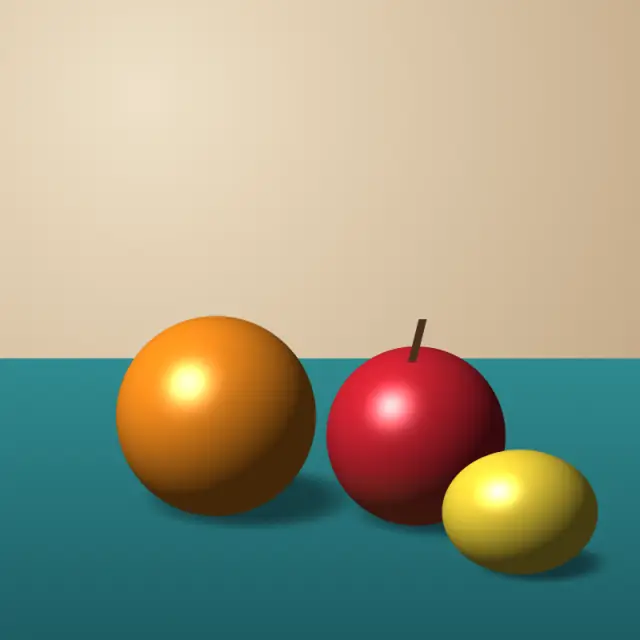
Original illustration
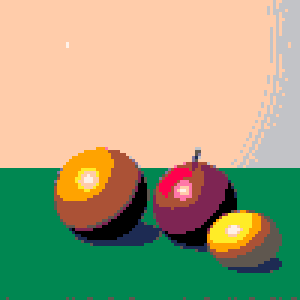
PICO-8
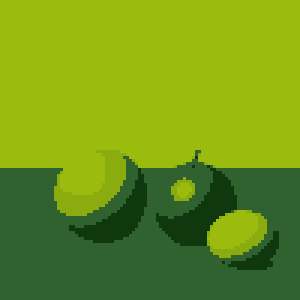
Game Boy
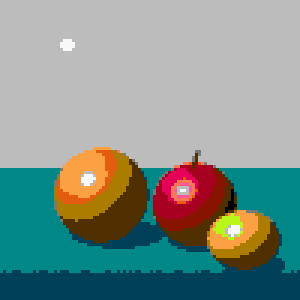
NES-style
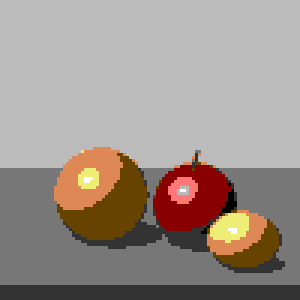
Commodore 64
EGA
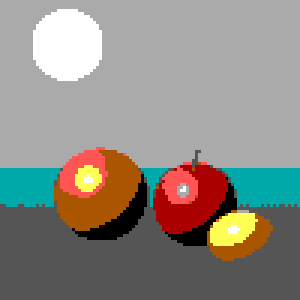
CGA
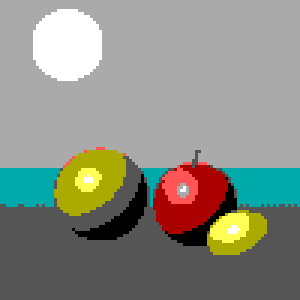
Minecraft wool
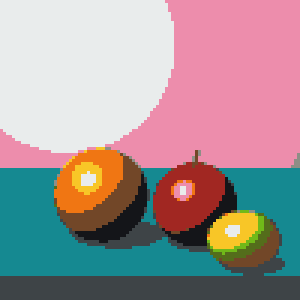
PICO-8 (16 colors)
PICO-8 is a "fantasy console" by Lexaloffle with a 128 × 128 screen and a fixed set of 16 colors. The colors are bright and clearly distinct, and the set still includes skin tones, browns and two grays, so it covers a lot of subjects for its size.
| Color | Name | Hex | RGB |
|---|---|---|---|
| Black | #000000 | 0, 0, 0 | |
| Dark blue | #1d2b53 | 29, 43, 83 | |
| Dark purple | #7e2553 | 126, 37, 83 | |
| Dark green | #008751 | 0, 135, 81 | |
| Brown | #ab5236 | 171, 82, 54 | |
| Dark gray | #5f574f | 95, 87, 79 | |
| Light gray | #c2c3c7 | 194, 195, 199 | |
| White | #fff1e8 | 255, 241, 232 | |
| Red | #ff004d | 255, 0, 77 | |
| Orange | #ffa300 | 255, 163, 0 | |
| Yellow | #ffec27 | 255, 236, 39 | |
| Green | #00e436 | 0, 228, 54 | |
| Blue | #29adff | 41, 173, 255 | |
| Lavender | #83769c | 131, 118, 156 | |
| Pink | #ff77a8 | 255, 119, 168 | |
| Light peach | #ffccaa | 255, 204, 170 |
Game Boy (4 colors)
The original Game Boy had a screen that showed four shades, with a green tint. These four greens recreate that look. With only four values, the palette works best on images with clear shapes and good contrast, and the Pokemon-style pixel art tool pairs it with Bayer 4×4 dithering to suggest more tones.
| Color | Name | Hex | RGB |
|---|---|---|---|
| Darkest green | #0f380f | 15, 56, 15 | |
| Dark green | #306230 | 48, 98, 48 | |
| Light green | #8bac0f | 139, 172, 15 | |
| Lightest green | #9bbc0f | 155, 188, 15 |
NES-style (41 colors)
The NES had a fixed hardware palette of 64 entries, several of which are duplicates or black. Our NES-style palette is a 41-color list in that style, with duplicates removed. It has the widest range of any fixed palette here, so photos keep more of their shading. The 8-bit photo converter uses it with Bayer 8×8 dithering by default.
| Color | # | Hex | RGB |
|---|---|---|---|
| 0 | #7c7c7c | 124, 124, 124 | |
| 1 | #0000fc | 0, 0, 252 | |
| 2 | #0000bc | 0, 0, 188 | |
| 3 | #4428bc | 68, 40, 188 | |
| 4 | #940084 | 148, 0, 132 | |
| 5 | #a80020 | 168, 0, 32 | |
| 6 | #a81000 | 168, 16, 0 | |
| 7 | #881400 | 136, 20, 0 | |
| 8 | #503000 | 80, 48, 0 | |
| 9 | #007800 | 0, 120, 0 | |
| 10 | #006800 | 0, 104, 0 | |
| 11 | #005800 | 0, 88, 0 | |
| 12 | #004058 | 0, 64, 88 | |
| 13 | #000000 | 0, 0, 0 | |
| 14 | #bcbcbc | 188, 188, 188 | |
| 15 | #0078f8 | 0, 120, 248 | |
| 16 | #0058f8 | 0, 88, 248 | |
| 17 | #6844fc | 104, 68, 252 | |
| 18 | #d800cc | 216, 0, 204 | |
| 19 | #e40058 | 228, 0, 88 | |
| 20 | #f83800 | 248, 56, 0 | |
| 21 | #e45c10 | 228, 92, 16 | |
| 22 | #ac7c00 | 172, 124, 0 | |
| 23 | #00b800 | 0, 184, 0 | |
| 24 | #00a800 | 0, 168, 0 | |
| 25 | #00a844 | 0, 168, 68 | |
| 26 | #008888 | 0, 136, 136 | |
| 27 | #f8f8f8 | 248, 248, 248 | |
| 28 | #3cbcfc | 60, 188, 252 | |
| 29 | #6888fc | 104, 136, 252 | |
| 30 | #9878f8 | 152, 120, 248 | |
| 31 | #f878f8 | 248, 120, 248 | |
| 32 | #f85898 | 248, 88, 152 | |
| 33 | #f87858 | 248, 120, 88 | |
| 34 | #fca044 | 252, 160, 68 | |
| 35 | #f8b800 | 248, 184, 0 | |
| 36 | #b8f818 | 184, 248, 24 | |
| 37 | #58d854 | 88, 216, 84 | |
| 38 | #58f898 | 88, 248, 152 | |
| 39 | #00e8d8 | 0, 232, 216 | |
| 40 | #787878 | 120, 120, 120 |
Commodore 64 (16 colors)
The Commodore 64 has 16 fixed colors. Compared with PICO-8, they are softer and more muted, with three grays and fewer saturated hues, which gives pictures a recognizable 1980s home-computer feel.
| Color | Name | Hex | RGB |
|---|---|---|---|
| Black | #000000 | 0, 0, 0 | |
| White | #ffffff | 255, 255, 255 | |
| Red | #880000 | 136, 0, 0 | |
| Cyan | #aaffee | 170, 255, 238 | |
| Purple | #cc44cc | 204, 68, 204 | |
| Green | #00cc55 | 0, 204, 85 | |
| Blue | #0000aa | 0, 0, 170 | |
| Yellow | #eeee77 | 238, 238, 119 | |
| Orange | #dd8855 | 221, 136, 85 | |
| Brown | #664400 | 102, 68, 0 | |
| Light red | #ff7777 | 255, 119, 119 | |
| Dark gray | #333333 | 51, 51, 51 | |
| Gray | #777777 | 119, 119, 119 | |
| Light green | #aaff66 | 170, 255, 102 | |
| Light blue | #0088ff | 0, 136, 255 | |
| Light gray | #bbbbbb | 187, 187, 187 |
EGA (16 colors)
EGA graphics on IBM PCs could show 16 colors at once, and the default set is the one below: black, white, two grays, a dark and a light version of blue, green, cyan, red and magenta, plus brown and yellow.
| Color | Name | Hex | RGB |
|---|---|---|---|
| Black | #000000 | 0, 0, 0 | |
| Blue | #0000aa | 0, 0, 170 | |
| Green | #00aa00 | 0, 170, 0 | |
| Cyan | #00aaaa | 0, 170, 170 | |
| Red | #aa0000 | 170, 0, 0 | |
| Magenta | #aa00aa | 170, 0, 170 | |
| Brown | #aa5500 | 170, 85, 0 | |
| Light gray | #aaaaaa | 170, 170, 170 | |
| Dark gray | #555555 | 85, 85, 85 | |
| Light blue | #5555ff | 85, 85, 255 | |
| Light green | #55ff55 | 85, 255, 85 | |
| Light cyan | #55ffff | 85, 255, 255 | |
| Light red | #ff5555 | 255, 85, 85 | |
| Light magenta | #ff55ff | 255, 85, 255 | |
| Yellow | #ffff55 | 255, 255, 85 | |
| White | #ffffff | 255, 255, 255 |
CGA (16 colors)
The CGA set has the same 16 colors as the EGA default palette. Color 6 is brown (#aa5500): the CGA chip produced dark yellow there, and IBM's monitor changed it to brown. The colors are listed in our converter's order.
| Color | Name | Hex | RGB |
|---|---|---|---|
| Black | #000000 | 0, 0, 0 | |
| Dark gray | #555555 | 85, 85, 85 | |
| Light gray | #aaaaaa | 170, 170, 170 | |
| White | #ffffff | 255, 255, 255 | |
| Cyan | #00aaaa | 0, 170, 170 | |
| Magenta | #aa00aa | 170, 0, 170 | |
| Brown | #aa5500 | 170, 85, 0 | |
| Green | #00aa00 | 0, 170, 0 | |
| Blue | #0000aa | 0, 0, 170 | |
| Red | #aa0000 | 170, 0, 0 | |
| Light magenta | #ff55ff | 255, 85, 255 | |
| Light cyan | #55ffff | 85, 255, 255 | |
| Yellow | #ffff55 | 255, 255, 85 | |
| Light green | #55ff55 | 85, 255, 85 | |
| Light blue | #5555ff | 85, 85, 255 | |
| Light red | #ff5555 | 255, 85, 85 |
Minecraft wool (16 colors)
The 16 wool colors in Minecraft, in the game's usual dye order. Converting to this palette means every pixel matches a wool block you can place, which is how the Minecraft pixel art generator makes build plans. The Minecraft pixel art guide covers block counts and building.
| Color | Name | Hex | RGB |
|---|---|---|---|
| White | #e9ecec | 233, 236, 236 | |
| Orange | #f07613 | 240, 118, 19 | |
| Magenta | #bd44b3 | 189, 68, 179 | |
| Light blue | #3aafd9 | 58, 175, 217 | |
| Yellow | #f8c627 | 248, 198, 39 | |
| Lime | #70b919 | 112, 185, 25 | |
| Pink | #ed8dac | 237, 141, 172 | |
| Gray | #3e4447 | 62, 68, 71 | |
| Light gray | #8e8e86 | 142, 142, 134 | |
| Cyan | #158991 | 21, 137, 145 | |
| Purple | #792aac | 121, 42, 172 | |
| Blue | #35399d | 53, 57, 157 | |
| Brown | #724728 | 114, 71, 40 | |
| Green | #546d1b | 84, 109, 27 | |
| Red | #a12722 | 161, 39, 34 | |
| Black | #141519 | 20, 21, 25 |
Palettes made from your image
Besides the fixed palettes, the converter has two other color modes. By bit depth reduces each color channel to fewer levels (16-bit, 8-bit) or uses a fixed set of 16 colors at 4-bit; the 8-bit vs 16-bit guide explains them. From the image builds a palette of 2 to 64 colors out of your picture with median cut, which keeps its own color scheme. That is often the better choice for logos and portraits, where a fixed palette may lack the exact hues you need.
Choosing a palette
Match the palette to the picture. Photos with skin, sky and foliage keep more detail in the NES-style palette or From the image. Bold graphics and sprites read well in PICO-8. Game Boy and CGA make a strong stylistic statement and suit images with simple shapes. If a result looks flat, try the same palette with ordered dithering before switching palettes.